
Documentation
Running an analysis
How a Spectra project moves from uploaded NMR files through preprocessing, peak picking and identification.
Each confirmation advances the analysis to the next review gate; it does not approve a final structure. Review the evidence at each stage before continuing.
Put the files in the project
Sign in at https://app.spectra.rombo.ai/login, open the project, and upload the spectra into the project file tree. A file dropped into chat is a message attachment, not a spectrum added to the analysis. Keep the acquisitions for the same sample together. For project creation, see getting started.
Use a vendor family or JCAMP-DX export listed in supported data. Upload only files you are allowed to place in a hosted project; review data handling before uploading client or unpublished spectra.
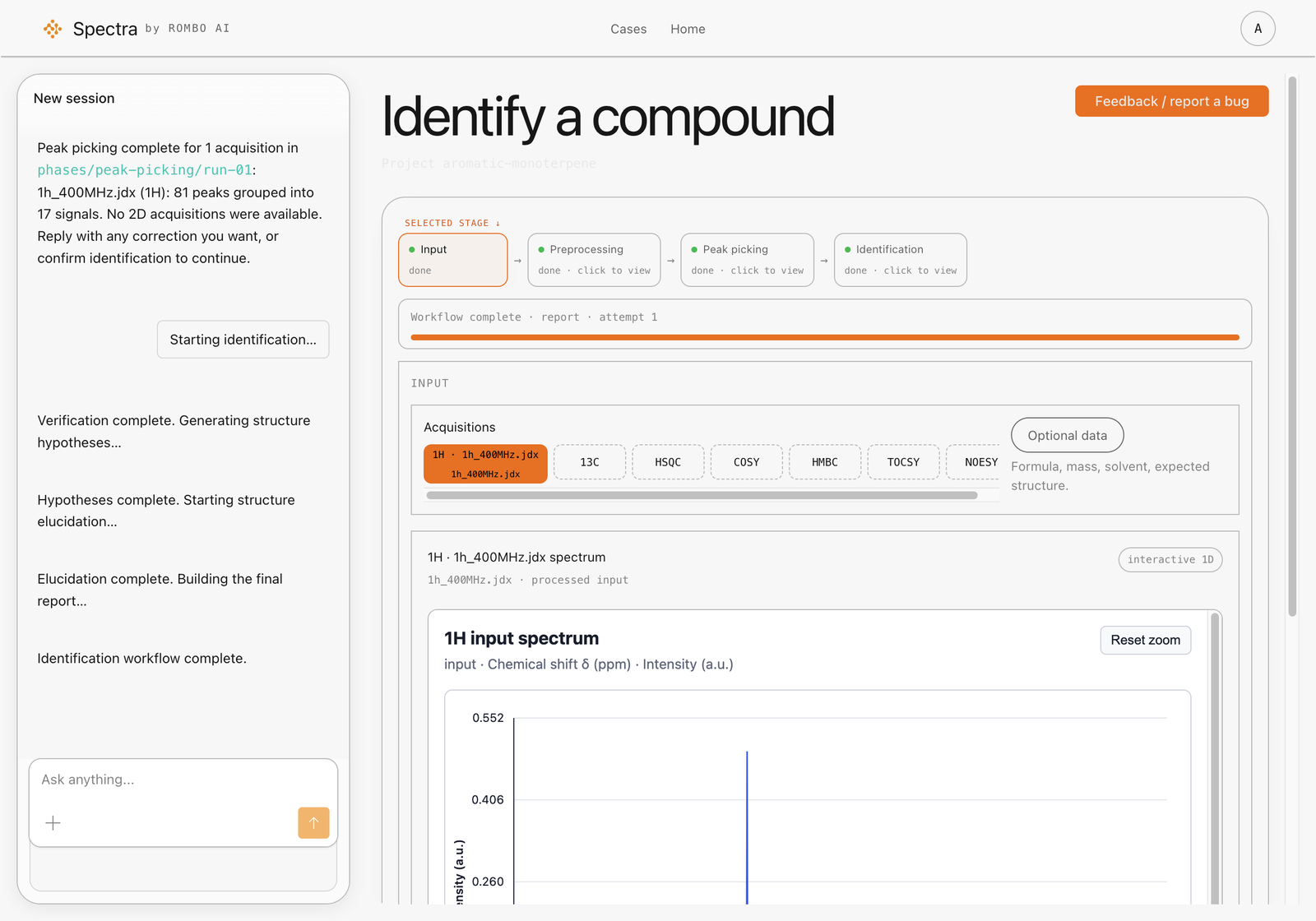
Before confirming input:
- Check that the preview is the sample you intended to analyse and that the expected acquisitions were detected.
- Check the nucleus or experiment type, solvent and spectrometer frequency against your acquisition records. Do not guess missing metadata.
- Add known context under Additional information: formula, exact mass, solvent, and an expected structure if you are verifying one. Grey hint text is not a saved value.
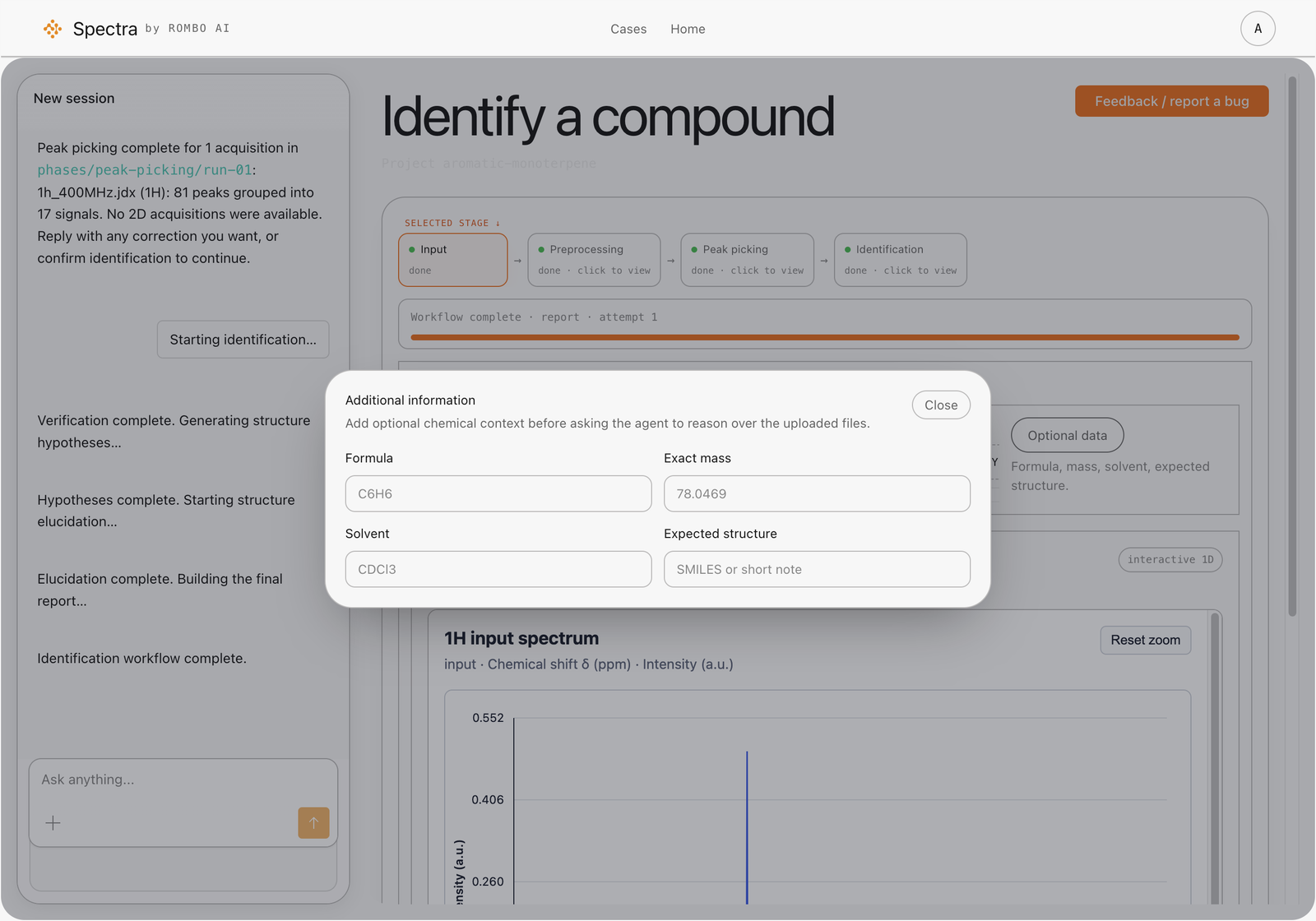
Notes that the form does not hold — sample preparation, concentration, a suspected impurity, acquisition conditions — can be stated in chat. Spectra keeps those project facts with the analysis.
Confirm input to begin preprocessing
Confirm input only after checking the preview and metadata. That confirmation authorizes preprocessing only, not peak picking or identification. If an acquisition is missing or incorrectly detected, resolve it before continuing; see troubleshooting.
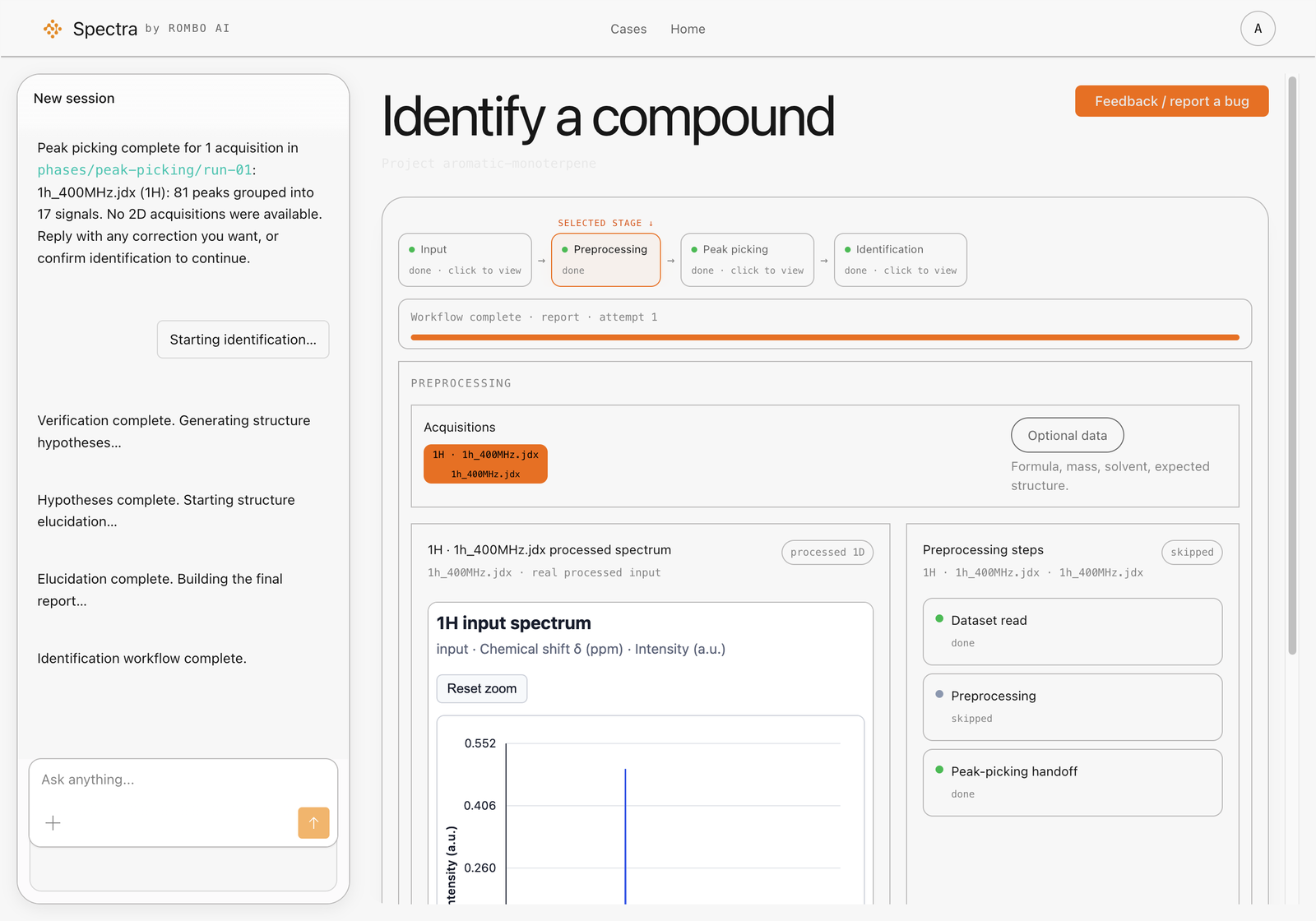
Preprocessing covers reading the dataset, normalization, phase and baseline, reference and solvent, then a quality handoff into peak picking.
- Already processed spectra skip preprocessing and keep the processed data for review.
- Imported correlation lists skip the processed-matrix path and continue toward peak picking.
- If a raw 2D file needs a processing recipe, Spectra asks for the missing fields and stops. It does not invent them. Supply the requested values from your acquisition or processing records; if you cannot establish them, ask for help rather than guessing.
Review preprocessing before peak picking
Review the processed spectrum and any quality notes before confirming this step. Check referencing, phase, baseline, solvent signals and spectral coverage. Already processed input still needs review: skipping preprocessing is not a quality approval. Use the checks in preparing NMR data if something looks wrong.
Confirm the preprocessing step only when the spectrum is ready for peak picking. Peak picking then runs on each acquisition Spectra detected.
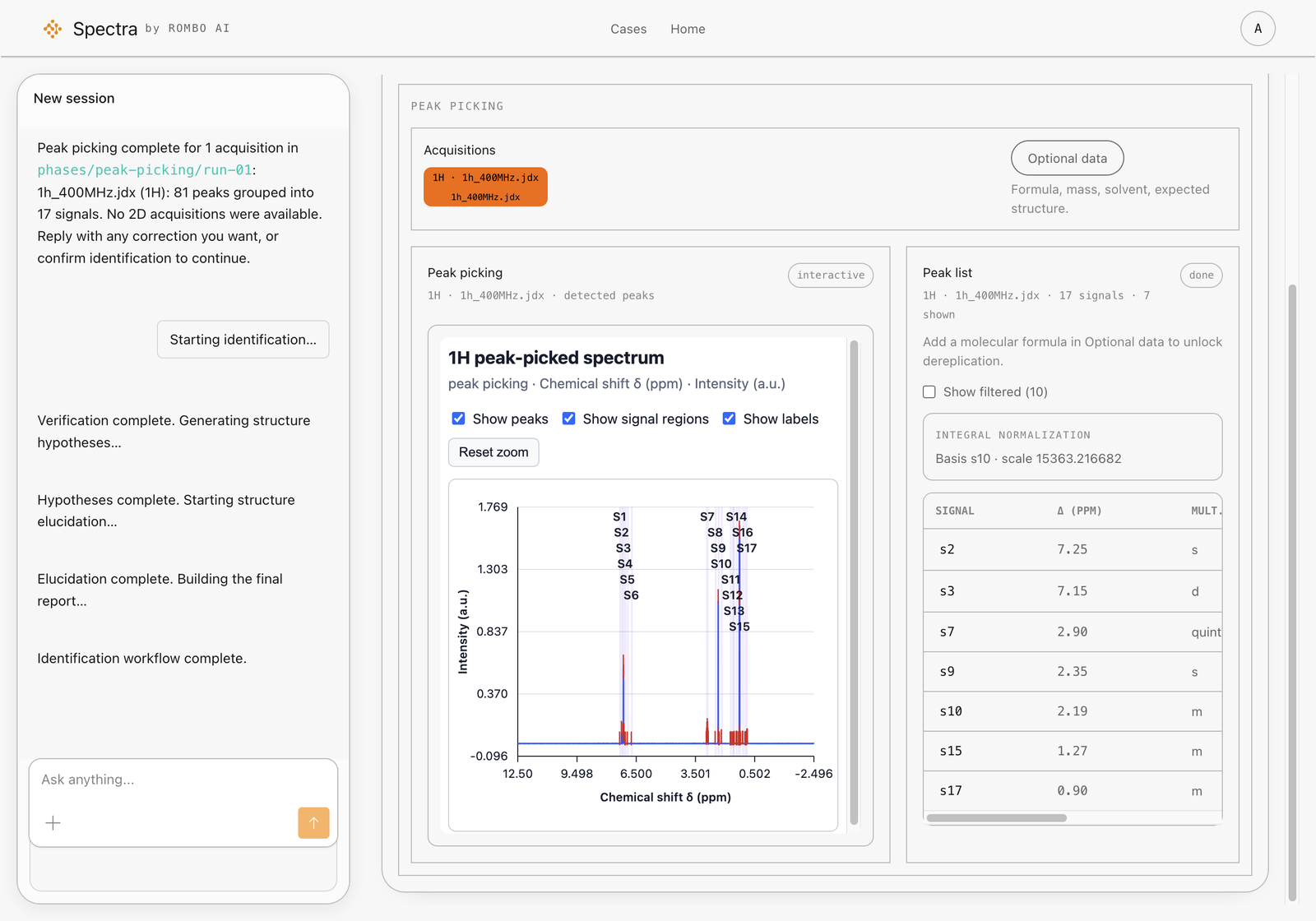
1D spectra produce signals and peaks. HSQC, COSY, HMBC, TOCSY and NOESY produce correlations. A 2D spectrum is not run through the 1D peak list. Identification stays locked until the 1D acquisitions in the project are complete.
Review peak picking before identification
Compare the peak list with the spectrum before confirming it:
- Check that the listed signals correspond to the spectrum, and review missing or unexpected peaks.
- Consider whether solvent, water, impurities or overlap could explain unexpected signals rather than treating every peak as the target compound.
- Review the correlations for any 2D acquisitions you supplied, and check that the project’s 1D acquisitions are complete.
If peak picking needs another pass, you can ask in chat to rerun one acquisition with different options. You can also ask in chat to advance a step. Chat and the on-screen controls drive the same analysis; Spectra stops at the next gate until you confirm.
Confirm the peak list only when you accept it as the evidence for identification. Identification then ranks structure hypotheses against the 1H evidence, 13C when present, 2D correlations when present, and any formula you supplied. Confirming the peak list does not confirm a candidate structure.
Review the identification result
Wait for identification to finish before reviewing the final ranking. Accept and reject are unavailable while identification is running. Once the ranking is complete, review the supporting evidence and unexplained signals before accepting a candidate or rejecting it with a comment. Rank alone is not proof of identity.
An empty ranking that explains why no single structure is defensible and recommends a next experiment is a completed, inconclusive identification—not a failed execution. Review what remains unresolved and add relevant evidence before running identification again. An explicitly failed run is closed; the next attempt must be a new run rather than an edit of the failed result. See troubleshooting for checks before retrying.
Next: understanding results and evidence and confidence.