
Documentation
Getting started
How to sign in, open a project, upload NMR files, and move through Input, Preprocessing, Peak picking and Identification.
This guide takes you from sign-in to your first reviewed result. You can explore the sample analysis before uploading laboratory data.
Before you begin
- Choose one sample. Gather all available spectra for that sample; one project identifies one molecule. If you suspect a mixture, record that context and review the limitations.
- Check the input. Review supported data for experiment types and file families. Keep the nucleus, solvent and spectrometer frequency available where known.
- Check permission to upload. Read data handling before sharing confidential or third-party data. Use only files you are authorized to place in a hosted project.
- Separate evidence from expectations. Have any measured formula or exact mass ready, and state whether a proposed structure is a hypothesis you want to verify.
How to access Spectra
- Open https://app.spectra.rombo.ai/login.
- Create an account or sign in. Login offers email, passkey and Google.
- If your organization needs a scoped evaluation instead of self-service, email sales.
Create a project
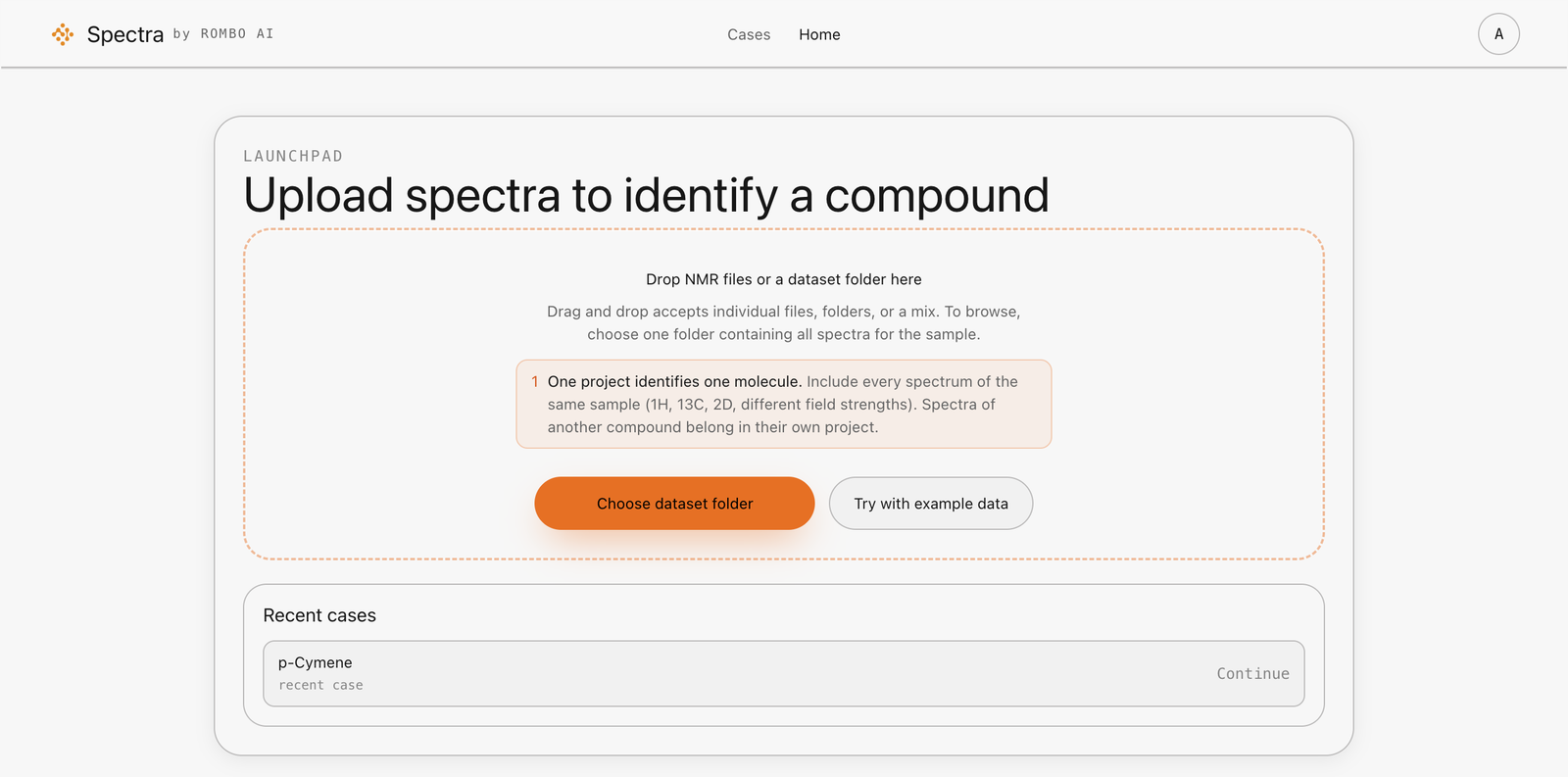
From Home, drop the spectra on the launchpad or choose a dataset folder. One project identifies one molecule: include every spectrum of that sample. A file dropped into the chat is an attachment to the message, not a spectrum in the project. Recent cases stay on Home so you can reopen one later.
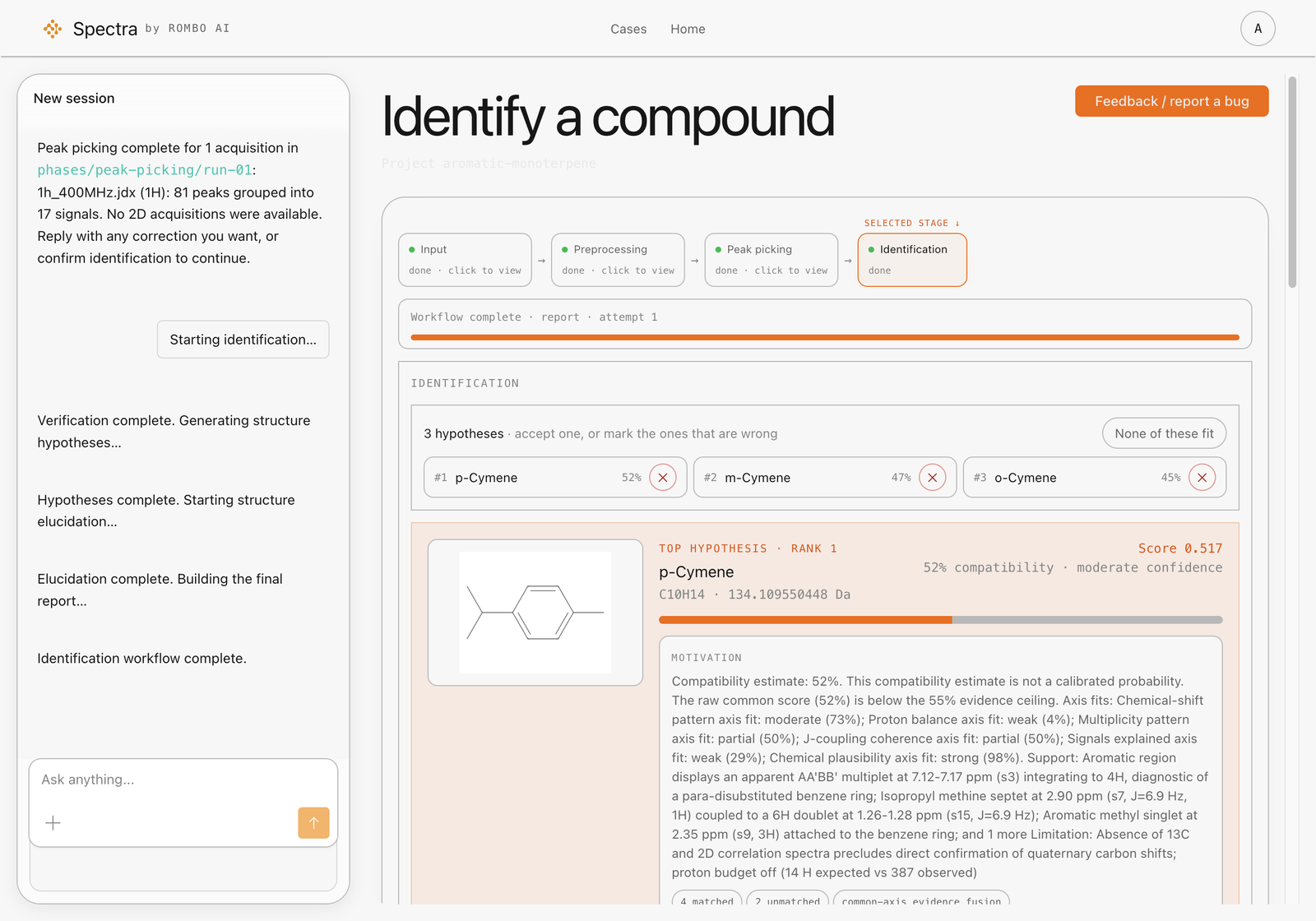
The screenshots below show the aromatic monoterpene example shipped with Spectra: one processed 1H spectrum at 400 MHz. Identification ranked three cymene isomers. This illustrates a workflow, not a guarantee that another 1H-only dataset can distinguish its candidates.
Add the spectra
Opening the project reads the files already there and shows an input preview. Spectra looks for these acquisitions:
- 1H and 13C
- optional HSQC, COSY, HMBC, TOCSY and NOESY
Check that the detected acquisitions belong to the intended sample. Add any known formula, exact mass, solvent or expected structure under Additional information. Do not treat placeholder text as saved sample information. See preparing NMR data for quality checks.
Four steps, each waiting for you
The workspace shows four steps. Later steps stay locked until you confirm the one in front of you. The same confirmation can be the on-screen control or a message in chat.
- Input. Preview the detected acquisitions.
- Preprocessing. Phase, baseline, reference and solvent. Already processed files skip this step. A peak list starts further along.
- Peak picking. Signals on 1D spectra, correlations on 2D spectra.
- Identification. A ranked shortlist, or an explicit result that no single structure is defensible, with the measurement to run next.
Close the case
When identification finishes:
- If candidates are ranked: read the supporting evidence and unexplained signals before accepting a candidate or rejecting it with a reason. Rank is not a probability of correctness.
- If no structure is defensible: review what remains unresolved and the recommended next measurement. An empty ranking can be a completed analysis, not a failed run.
- If the workflow is blocked or the run fails: use troubleshooting to distinguish a pending confirmation from a processing or execution problem.
Keep the uploaded files, the result and your review comments together. See understanding results before using a shortlist to support a scientific decision.
Example data
If you do not yet have a cleared spectrum, read the sample analysis to learn the review objects. Upload only files you are allowed to place in a hosted project.
Next: check supported data, or use running an analysis for a step-by-step review checklist.